
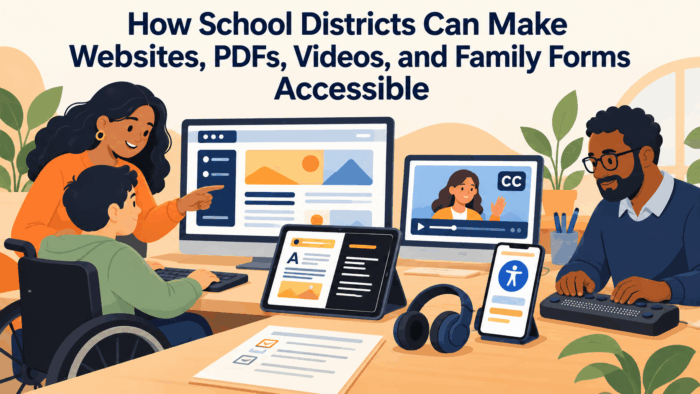
How School Districts Can Make Websites, PDFs, Videos, and Family Forms Accessible
School districts now communicate with families primarily through digital channels. District and school websites hold calendars, enrollment information, menus, policies, and news. PDFs carry newsletters, handbooks, forms, and board documents. Videos explain programs, share board meetings, and celebrate student achievement. Online forms handle enrollment, meal applications, permission slips, volunteer registration, and surveys. Family portals and apps deliver grades, attendance, and messages. For most families, these digital tools have made school information more convenient. But for families with disabilities, including parents and caregivers who are blind or have low vision, who are deaf or hard of hearing, who have motor disabilities that make using a mouse difficult, or who have cognitive or learning disabilities, many of these tools present significant barriers. A scanned PDF that a screen reader cannot read, a video without captions, a form that cannot be completed with a keyboard, or a website menu that cannot be navigated without precise mouse movements can effectively lock families out of essential school information.
Digital accessibility is not only a matter of good practice; it is a legal obligation. Public school districts are subject to federal disability rights laws that require effective communication with people with disabilities, and federal regulations adopted in 2024 establish specific technical standards for the web content and mobile applications of state and local governments, including public school districts, with compliance deadlines phased in over the following years based on the size of the jurisdiction. These rules generally require conformance with the Web Content Accessibility Guidelines at a defined level. Districts have also faced complaints and investigations by federal civil rights authorities over inaccessible websites and documents. The legal landscape has made accessibility a priority for district leaders, but many districts are still unsure where to begin, how to address thousands of existing documents and pages, and how to build accessibility into daily practice so that new barriers are not created as quickly as old ones are removed.
Accessibility also benefits far more people than many districts realize. Captions help families who are watching videos in noisy environments, families learning English, and families who prefer to read rather than listen. Clear headings and plain language help families who are skimming on phones, families with limited literacy, and families under stress. Forms that work well with keyboards and screen readers also tend to work better on mobile devices. Accessible design is often simply good design, and districts that commit to it improve communication for every family while meeting their obligations to families with disabilities. Many grandparents raising grandchildren, for example, experience age-related vision or hearing changes and benefit significantly from accessible content even if they do not identify as having a disability.
This article examines how school districts can make websites, PDFs, videos, and family forms accessible. It looks at why digital accessibility matters for families and districts, what accessibility standards require in practical terms, and how to assess the current state of district content. It covers how to make websites, documents, videos, and forms accessible, how to address the enormous volume of existing content strategically, how to build accessibility into everyday workflows, and how to prepare staff who create content. It also addresses procurement of accessible technology and how to measure progress. The goal is digital communication that every family can perceive, understand, navigate, and use, regardless of disability.
Why Digital Accessibility Matters for Families and Districts
 Digital accessibility is fundamentally about whether every family can participate in their child’s education. When a parent who is blind cannot read the school newsletter, when a deaf parent cannot understand a video explaining a new program, or when a parent with a motor disability cannot complete an online enrollment form, that family is excluded from information and opportunities available to other families. These barriers are often invisible to staff who do not experience them, which is why many districts are surprised to learn how inaccessible their digital content is. Understanding the real impact on families, as well as the legal and practical stakes for the district, helps build the commitment needed to address accessibility systematically. It also helps districts move beyond a narrow focus on avoiding complaints toward a broader goal of ensuring that every family can participate fully, which is a more motivating and sustainable foundation for long-term change.
The Experience of Families With Disabilities
Consider the experience of a parent who is blind and uses a screen reader, software that reads digital text aloud and allows navigation by keyboard. When this parent visits a school website, the screen reader announces page elements in order. If images lack text descriptions, the parent hears only file names or nothing at all. If headings are not properly coded, the parent cannot jump between sections and must listen to the entire page. If the menu requires hovering with a mouse, the parent may not be able to open it. When the parent downloads a PDF newsletter that was created by scanning a paper copy, the screen reader may announce only that the document is an image, with no readable text. When the parent tries to complete an online permission form, unlabeled fields may be announced simply as edit text, leaving the parent guessing which information belongs where. Each of these experiences sends a message that the school was not designed with this parent in mind, and over time, repeated barriers can lead families to disengage from digital communication altogether, relying on others to relay information or simply going without it.
Similar barriers affect other families. A parent who is deaf may be unable to follow a video about kindergarten registration if it has no captions, or may miss important information in a recorded board meeting. A parent with a tremor or limited hand mobility may be unable to click small buttons or complete forms that time out quickly. A parent with a cognitive disability may be overwhelmed by cluttered pages, complex language, and inconsistent navigation. Each of these barriers is solvable, often with modest effort, but only if districts recognize them. Listening to families with disabilities about their experiences is one of the most powerful ways to build understanding and urgency among staff.
Districts can invite families with disabilities to share their experiences directly with communication and technology staff, either in small listening sessions or through brief recorded interviews, with permission. Watching a parent navigate the district website with a screen reader, or hearing a deaf parent describe missing key information at a family night because there was no interpreter or captioning, often changes staff understanding far more than any training slide. These experiences turn accessibility from an abstract standard into a concrete commitment to real families, and they help staff recognize that accessibility barriers are not rare edge cases but daily obstacles for members of their own school community.
Legal Obligations and Risks
Federal disability rights laws require public entities, including school districts, to ensure that communication with people with disabilities is as effective as communication with others, and to provide equal access to programs, services, and activities. Recent federal regulations specify technical standards for web content and mobile apps provided by state and local governments, with compliance deadlines that vary by the size of the jurisdiction. These rules apply to content districts create and, in many cases, to content provided through third-party platforms on their behalf. Districts that do not meet these standards face risk of complaints, investigations, and litigation, along with the reputational harm that comes from excluding families.
Compliance requires more than a one-time website fix. Standards apply to new content as it is created, to documents posted on websites, to videos, to forms, and to many third-party tools. Districts should work with legal counsel to understand the specific requirements and timelines that apply to them, including any exceptions, and to develop a plan for meeting them. A clear accessibility policy, adopted by the district and supported by procedures and training, demonstrates commitment and provides a framework for consistent action.
Districts should also publish an accessibility statement on their websites that explains their commitment, describes the standards they are working toward, and tells families exactly how to report a barrier or request content in an accessible format. The statement should provide multiple contact options, such as a phone number, email address, and online form that is itself accessible, and should commit to a response timeline. When families report barriers, the district should respond promptly, provide the requested information in an accessible format, and use the report to fix the underlying problem. A responsive process demonstrates good faith and often prevents complaints from escalating.
Benefits for Every Family
Although accessibility is often discussed in terms of disability, its benefits extend to nearly every family. Captions help parents watching videos at work or in noisy homes. Clear structure and headings help families find information quickly on small phone screens. Plain language helps families with limited literacy or limited English proficiency, and it also improves the quality of machine translation. Accessible forms are easier to complete on mobile devices. Sufficient color contrast helps everyone read in bright sunlight. Descriptive link text helps all users understand where links lead.
Framing accessibility as part of good communication, rather than a separate compliance task, helps staff see its value and integrate it into their work. When accessibility is presented as a way to make communication clearer and more usable for every family, staff are more likely to embrace it than when it is presented solely as a legal obligation. District leaders can reinforce this message by highlighting examples of accessible content that improved communication broadly.
Leaders can also connect accessibility to other district priorities, such as family engagement, equity, and multilingual communication. Content that is well structured and written in plain language translates more accurately, works better on phones, and is easier for families with limited time to understand. When staff see accessibility as part of a coherent approach to serving all families, rather than another isolated requirement, they are more likely to adopt accessible practices as habits rather than treating them as extra steps.
Accessibility also strengthens trust. Families who discover that the district has thoughtfully captioned its videos, structured its documents, and designed forms that work with assistive technology receive a clear message that they are welcome and expected. That message matters for families with disabilities, many of whom have spent years navigating systems that seemed indifferent to their needs, and it matters for the broader community, which sees a district that takes inclusion seriously in practical ways rather than only in statements.
Learning Together: Communication Strategies for K-12 School Districts and Public Education Agencies
This article is part of our series on strategic communication for K-12 School Districts and Public Education Agencies. To learn more and to see the parent article, which links to other content just like this, click the button below.
Understanding Accessibility Standards in Practical Terms
The Web Content Accessibility Guidelines are the most widely used standard for digital accessibility, and they underpin federal requirements. The guidelines are organized around four principles: content must be perceivable, operable, understandable, and robust. While the full guidelines are detailed and technical, staff do not need to master every criterion to make significant progress. Understanding the core principles and the most common issues allows districts to focus on changes that matter most for families. Districts can create a short, plain language summary of the standards tailored to the kinds of content their staff produce, with examples drawn from real district materials, so that staff can see exactly what good practice looks like in their own work.
The Four Principles Explained
Perceivable means that information must be presented in ways families can perceive, regardless of sensory ability. This includes providing text alternatives for images, captions for videos, sufficient color contrast, and content that can be resized without losing information. Operable means that families must be able to navigate and interact with content, including using only a keyboard, having enough time to complete tasks, and avoiding content that could trigger seizures. Understandable means that content and navigation must be clear and predictable, with readable text, consistent layouts, and helpful error messages on forms. Robust means that content must work reliably with a wide range of technologies, including screen readers and other assistive tools, which depends largely on correct underlying code. Most content creators do not need to write code, but they do need to use tools in ways that preserve this underlying structure, such as using built-in heading styles rather than simply making text larger and bold.
Translating these principles into everyday practice helps staff understand what they mean for their own work. For a staff member writing a newsletter, perceivable might mean adding descriptions to photos and using real text rather than images of text. Operable might mean ensuring links are clearly labeled. Understandable might mean using headings and plain language. Robust might mean creating the newsletter in a format that preserves accessibility features rather than scanning a printed copy.
Staff who understand these principles also become better at spotting problems in content created by others, such as a flyer posted by a parent organization or a slide deck shared by a vendor, and at suggesting simple fixes. Over time, a shared understanding of the four principles creates a common language across the district, making it easier to set expectations, review content, and discuss accessibility with vendors and partners.
The Most Common Barriers
Accessibility audits of school websites consistently find a similar set of common problems. Images lack meaningful alternative text. Headings are used for visual styling rather than structure, or are missing entirely. Links say only click here or read more, which gives screen reader users no context. Color contrast is insufficient, especially for text placed over photos or brand colors. PDFs are scanned images or lack tags that define structure and reading order. Videos lack captions or have inaccurate automatic captions. Forms lack labels and clear error messages. Menus and interactive elements cannot be operated with a keyboard. Embedded calendars and third-party widgets are inaccessible. Text embedded in images, such as flyers posted as pictures with event details, is another frequent barrier, since screen readers cannot read the text and it does not resize for families with low vision.
Focusing first on these common barriers allows districts to make meaningful progress quickly. Many of these issues can be addressed through templates, training, and website configuration, rather than requiring specialized technical work for each page. Districts can also use automated testing tools to identify many common issues, while recognizing that automated tools catch only a portion of accessibility problems and must be supplemented by manual review.
Simple manual checks that any staff member can perform go a long way. Navigating a page using only the Tab key reveals whether menus, links, and buttons can be reached and operated without a mouse. Zooming a page to two hundred percent shows whether content remains readable and usable. Turning on a free screen reader for a few minutes, or using built-in accessibility checkers in word processing and presentation software, reveals missing alternative text and heading problems. Teaching staff these basic checks empowers them to catch many issues before content is published.
Inaccessible content also creates practical problems that ripple through school operations. Families who cannot read a form may miss a deadline, families who cannot understand a video may arrive at the wrong time or place, and families who cannot complete an online application may need staff to help them by phone, creating additional work. Addressing the most common barriers therefore reduces strain on front office staff and support lines while improving outcomes for families. When districts track the questions and assistance requests that arise from inaccessible content, they often find a compelling operational case for accessibility alongside the legal and ethical case.
Assessing the Current State of District Content
 Most districts have accumulated enormous volumes of digital content over many years, including thousands of web pages, tens of thousands of documents, and hundreds of videos, created by many different staff with varying levels of accessibility awareness. Before districts can improve accessibility, they need to understand what they have, where the most significant barriers are, and which content matters most to families. A structured assessment provides this understanding and informs a realistic remediation plan. Without this understanding, districts often spend resources fixing low-priority pages while critical barriers remain in place, or they become overwhelmed by the sheer scale of the work and make little progress at all.
Inventorying and Auditing Content
An accessibility assessment begins with an inventory of digital content: websites and subsites, documents, videos, forms, apps, and third-party platforms used to communicate with families. Automated scanning tools can identify common issues across websites and documents, while manual testing with keyboards and screen readers, ideally including testing by people with disabilities, reveals barriers that automated tools miss. The assessment should also review third-party tools such as enrollment systems, payment platforms, calendars, and messaging apps, since families experience these as part of the district’s communication.
The results of the assessment should be organized in a way that supports action, such as identifying the most frequent issues, the most heavily used content with barriers, and systemic problems that originate in templates or platforms. This analysis allows districts to address root causes rather than fixing individual pages one at a time.
For example, if every school website uses the same inaccessible menu component, fixing the component once in the platform resolves the barrier across hundreds of pages. If most inaccessible PDFs originate from a particular newsletter template, replacing that template prevents thousands of future barriers. Identifying these leverage points is one of the most valuable outcomes of an assessment, because it directs limited resources toward changes with the broadest impact.
Prioritizing What Matters Most
Not all content is equally important. Districts should prioritize content that families use most and that is most essential to participation, such as enrollment information and forms, school calendars, meal applications, emergency information, special education information, family handbooks, and frequently visited pages. Content required for families to exercise their rights or access services deserves particular attention. Outdated content that is no longer needed can often be removed rather than remediated, reducing the volume of work and improving the usefulness of the website. Many district websites contain years of outdated announcements, expired forms, and duplicate documents that confuse all families and create unnecessary accessibility work. A thoughtful content cleanup, guided by usage data, can reduce volume dramatically while making the website easier for everyone to navigate.
Prioritization should also consider where families with disabilities have reported barriers. Feedback from families, staff, and advocacy organizations can identify content that is especially problematic. A clear prioritization plan, shared with leadership and staff, helps districts make steady progress and demonstrates good faith efforts toward accessibility.
A realistic remediation plan should include timelines, responsibilities, and resources, and should be revisited regularly as work progresses. Many districts find it helpful to set a policy that all new content must meet accessibility standards from a specific date forward, while older content is remediated according to priority or archived. This approach stops the problem from growing while the backlog is addressed, and it gives staff a clear and achievable expectation.
Progress should be reported regularly to district leadership and, where appropriate, to the school board and community. Sharing how many priority pages and documents have been remediated, how many staff have been trained, and how quickly accessibility requests are being fulfilled builds accountability and demonstrates that the district is making steady, measurable progress. Public reporting also invites families and advocates to point out remaining barriers, turning the community into a partner in identifying and fixing problems rather than a source of complaints.
Making Websites and PDFs Accessible
Websites and PDFs are the backbone of district digital communication, and they are where many accessibility barriers occur. Making websites accessible involves both the underlying platform and the content staff add. Making PDFs accessible involves either creating them correctly from the start or replacing them with web pages, which are often more accessible and easier to use on mobile devices. Because websites and PDFs are created by so many people across the district, improvements in this area depend heavily on clear standards and shared tools rather than on the efforts of a few specialists.
Accessible Website Platforms and Content
Many districts use website platforms provided by vendors. The platform itself should support accessibility, with accessible templates, menus, navigation, and components. Districts should evaluate platforms for accessibility, request documentation of conformance, and work with vendors to fix platform-level issues. Within an accessible platform, content creators must still follow accessible practices: using headings in a logical order, writing meaningful alternative text, creating descriptive links, ensuring sufficient color contrast, avoiding images of text, and using plain language.
Website content should be organized around family needs, with clear navigation and consistent layouts across district and school sites. Consistency helps all users, and particularly users of assistive technology, find information efficiently. Regular checks with automated tools and periodic manual reviews help maintain accessibility as content changes.
Districts should also limit the number of people who can publish directly to the website, or provide additional training and review for those who do, since websites with many untrained editors tend to accumulate accessibility problems quickly. Giving schools accessible page templates for common content, such as staff directories, event announcements, and program descriptions, allows them to publish freely while maintaining consistent, accessible structure.
Color and design choices deserve particular attention because they are often driven by branding. School colors placed behind white text, light gray text on white backgrounds, and information conveyed only through color, such as red text indicating required items, all create barriers for families with low vision or color blindness. Districts can establish accessible color palettes that honor school identity while meeting contrast requirements, and they can provide these palettes in templates so that staff do not need to evaluate contrast themselves. Accessible branding guidelines protect both visual identity and access.
Reducing and Remediating PDFs
PDFs are one of the most common sources of inaccessible content on school websites. Many are scanned images with no readable text, and others lack the tags that define headings, lists, tables, and reading order. Remediating PDFs can be time-consuming, so districts should first ask whether each PDF is necessary. Information such as event announcements, newsletters, and program descriptions can often be published as web pages instead, which are more accessible, easier to update, and work better on phones.
When PDFs are necessary, they should be created from accessible source documents using built-in accessibility features, such as heading styles, alternative text, and proper table structures in word processing software, and exported with tags preserved. Staff should check accessibility before posting. For legacy PDFs that must remain available, districts can prioritize remediation based on importance and use, and can provide a clear way for families to request accessible versions of any document.
Districts should pay particular attention to documents that families must act on, such as forms, notices, and handbooks, as well as board agendas and meeting materials, which are often posted as large PDFs that are difficult to navigate. Converting key information from these documents into accessible web pages, or providing accessible summaries, can make essential information available quickly while longer remediation work continues.
Making Videos and Family Forms Accessible
Videos and forms are increasingly important channels for family communication, and both present specific accessibility challenges. Videos must be accessible to families who are deaf or hard of hearing and to families who are blind or have low vision. Forms must be usable by families who rely on keyboards, screen readers, or other assistive technologies, and by families with cognitive disabilities. Because videos and forms are increasingly used for essential communication, such as explaining enrollment processes or collecting required information, barriers in these formats can have direct consequences for whether families can access services.
Captions, Transcripts, and Audio Description
Every video intended for families should have accurate captions. Automatic captions generated by video platforms are a starting point but often contain errors, especially with names, education terms, and speakers with accents, so they should be reviewed and corrected. Live events, such as board meetings and virtual family nights, should have live captioning when possible. Transcripts provide an additional format that families can read or search. For videos that convey important visual information not described in the audio, audio description or descriptive transcripts help families who are blind understand the content.
Video players should also be accessible, with controls that can be operated by keyboard and screen reader. Districts should avoid videos that autoplay with sound and should ensure that video content does not include flashing that could trigger seizures. Building these practices into video production workflows makes accessibility routine rather than an afterthought.
Social media videos deserve attention as well, since many districts now share short videos on social platforms where captions are often omitted. Adding open captions, which are burned into the video, ensures that captions appear regardless of platform settings. Graphics that contain important text, such as event dates or registration links, should also have that information provided in the post text so that screen reader users can access it.
Live virtual events, such as family information sessions and board meetings, require planning for accessibility in advance. Districts should arrange live captioning or sign language interpretation, share slides and materials in accessible formats before the event, describe visual content aloud during presentations, and provide recordings with corrected captions afterward. Event announcements should explain how families can request accommodations, and requests should be fulfilled reliably so that families with disabilities can participate in real time rather than waiting for a recording.
Accessible Online Forms
Online forms for enrollment, meal applications, permission slips, and surveys must be accessible so that families can complete them independently. Every form field should have a clear label, instructions should be provided before the form begins, required fields should be identified in text rather than by color alone, and error messages should explain what went wrong and how to fix it. Forms should be operable by keyboard, should not time out without warning and an option to extend, and should be tested with screen readers.
Forms should also be as simple as possible, asking only for necessary information and using plain language. Families should be able to save progress and return later, particularly for long forms such as enrollment. Alternative ways to complete forms, such as by phone or with in-person assistance, should be clearly offered for families who need them.
Districts should test critical forms, such as enrollment and meal applications, with people who use assistive technology before launching them, since problems discovered after launch can prevent families from completing essential processes. When forms are provided by vendors, districts should ensure that vendors have tested them for accessibility and should report and track any issues found. Confirmation messages after submission should also be accessible, so that families know their form was received.
Building Accessibility Into Everyday Workflows
Remediating existing content is important, but it will never succeed if new inaccessible content is created faster than old content is fixed. Sustainable accessibility requires building it into everyday workflows, so that content is created accessibly from the start. This involves templates, training, review processes, procurement practices, and clear responsibilities. It also involves leadership commitment, since sustained accessibility requires time and resources that staff will only prioritize when leaders make clear that accessibility is an expectation rather than an optional extra.
Templates, Training, and Review
Accessible templates for newsletters, flyers, letters, presentations, and web pages make it easy for staff to create accessible content without becoming experts. Training should focus on the practical skills staff use most, such as writing alternative text, using headings, creating accessible documents, and captioning videos. Short, role-specific training and quick-reference guides are more effective than lengthy general courses. A review process, such as accessibility checks before content is published, catches issues early.
Designating accessibility champions in schools and departments, who receive additional training and support colleagues, helps spread knowledge across the district. Clear responsibility for accessibility at the district level, such as an accessibility coordinator, ensures that efforts are coordinated and sustained.
Accessibility should also be part of performance expectations for staff who regularly create public content, and it should be recognized when done well. Sharing examples of excellent accessible newsletters, videos, or web pages encourages others and demonstrates that accessible content can be attractive and engaging. Over time, these practices shift accessibility from a specialized concern to a shared professional norm.
Accessible Procurement
Many barriers come from third-party tools that districts purchase, such as enrollment systems, learning platforms, messaging apps, and payment portals. Districts should include accessibility requirements in procurement processes, request evidence of conformance, test products before purchase when possible, and include accessibility obligations in contracts. Working with vendors to address issues in existing tools is also important, since families experience these tools as part of the district’s communication.
Procurement teams may not have accessibility expertise, so districts should provide them with simple checklists and access to staff who can evaluate products. Including families with disabilities or accessibility specialists in product demonstrations can reveal problems that vendor documentation does not. When vendors cannot meet accessibility standards, districts should document alternative access plans that ensure families can still obtain the same information and services, and they should prioritize accessible alternatives in future purchasing decisions.
Districts can also collaborate with other districts and regional education agencies to share accessibility requirements, testing results, and leverage with vendors. Collective expectations from many districts are far more likely to influence vendor priorities than the requests of a single district, and shared evaluation work reduces the burden on each district’s procurement and technology staff.
How School Digital Accessibility Compares With Other Agency Types
All state and local government agencies face similar digital accessibility obligations, and many, including transit agencies, libraries, courts, and public health departments, have developed accessibility programs that districts can learn from. Libraries, for example, often have deep experience with accessible formats and assistive technology, and some public agencies have established accessibility offices with dedicated staff, testing processes, and procurement standards. Federal agencies have operated under accessibility requirements for many years and have produced extensive guidance and tools that are freely available. Districts can adapt these resources rather than starting from scratch, and partnerships with local libraries or disability organizations can provide expertise and user testing.
School districts face distinctive challenges, however. They produce an unusually large volume of content from an unusually large number of creators, including teachers, coaches, club advisors, parent organizations, and office staff, many of whom have little training in communication or technology. Content changes constantly throughout the school year, and much of it is time-sensitive. Districts also rely heavily on third-party education technology platforms. These conditions make it essential for districts to focus on systems, templates, training, and procurement rather than relying on centralized remediation alone.
Tying It All Together
Accessible digital communication is not a side function. It determines whether families with disabilities can access the information, services, and opportunities that districts now deliver primarily through websites, documents, videos, forms, and apps, and it shapes how usable digital communication is for every family.
Effective districts understand the real experience of families with disabilities, recognize their legal obligations under federal standards, and frame accessibility as part of good communication that benefits everyone.
They translate accessibility standards into practical terms around the principles of perceivable, operable, understandable, and robust content, and they focus first on the most common barriers. They assess their current content systematically and prioritize what matters most to families.
They make websites accessible at both the platform and content levels, reduce reliance on PDFs, and remediate essential documents. They caption videos accurately, provide transcripts and audio description where needed, and design forms that every family can complete independently.
They build accessibility into everyday workflows through templates, practical training, review processes, accessibility champions, and accessible procurement, so that new barriers are not created as old ones are removed.
Taken together, these practices create digital communication that every family can perceive, understand, navigate, and use, fulfilling both the letter and the spirit of the district’s commitment to all families.
Strategic Communication Support for Digital Communication Accessibility
 Digital accessibility determines whether students, families, and community members with disabilities can independently find, understand, and use the information a district publishes. Websites, enrollment forms, downloadable documents, videos, and online service platforms may contain essential information but remain difficult to navigate when accessibility is not considered during content creation and procurement. Because addressing these barriers requires coordination across technology, communications, legal, and operational teams, districts often partner with Stegmeier Consulting Griup(SCG) to establish a more systematic approach to accessible digital communication. SCG helps districts integrate accessibility into the way information is created, reviewed, and maintained rather than treating it as a one-time technical correction.
SCG supports districts in assessing digital content to identify barriers that affect how people access essential information. This can include reviewing website navigation, document structure, video captioning, online forms, and third-party platforms, then organizing remediation priorities according to user impact, service importance, and applicable compliance obligations. Establishing accessible templates and content standards gives staff practical guidance for producing materials that are more usable from the outset, reducing the need for repeated corrections after publication.
Sustained progress also depends on the people responsible for creating and maintaining digital content. Teachers, administrators, communications staff, and department specialists may use different tools and publishing processes, making consistent accessibility practices difficult to maintain without shared expectations. SCG helps districts develop role-specific training, establish review and approval workflows, and clarify responsibilities for checking content before it goes live. Accessible content guidance and plain-language accessibility statements can also help families understand the district’s approach and learn how to request alternative formats or report barriers.
Website redesigns, new digital platforms, accessibility complaints, and upcoming compliance deadlines can make this work especially urgent. SCG helps districts incorporate accessibility considerations into project planning, content migration, vendor coordination, and ongoing publishing procedures. By addressing accessibility during procurement and design decisions, districts can reduce the risk of introducing new barriers and avoid relying exclusively on costly remediation after systems are already in use.
SCG also helps districts evaluate whether accessibility improvements are making digital communication more usable for the people who depend on it. Feedback from families with disabilities, usability testing, accessibility audit results, and remediation tracking can reveal persistent obstacles and areas where further attention is needed. By incorporating these findings into regular content reviews and broader communication planning, districts can make accessibility an ongoing organizational practice that supports more equitable access to information and services.
Future Trends
Federal web accessibility requirements for state and local governments will continue to drive district action over the coming years as compliance deadlines arrive. Districts will need to demonstrate measurable progress and sustained practices, not just one-time fixes.
Artificial intelligence tools are improving automatic captioning, alternative text suggestions, and document remediation. These tools can accelerate accessibility work, but human review remains essential for accuracy and context, especially for important family communication.
Mobile access continues to grow, and many families access school information primarily through phones. Accessibility and mobile usability will increasingly be addressed together, since accessible design tends to work better on small screens.
Procurement standards for education technology are tightening, with more districts requiring vendors to demonstrate accessibility before purchase. This will gradually improve the accessibility of third-party platforms families use.
Finally, awareness among families of their right to accessible communication is growing, and families increasingly expect districts to provide accessible formats without having to ask. Districts that build accessibility into everyday practice will meet these expectations more easily.
Conclusion
As school communication moves increasingly online, digital accessibility has become essential to family partnership. Inaccessible websites, documents, videos, and forms exclude families with disabilities from information and opportunities that other families take for granted, and they expose districts to legal and reputational risk.
Districts that understand family experiences, translate standards into practice, assess and prioritize content, make websites, documents, videos, and forms accessible, and build accessibility into everyday workflows can create digital communication that works for every family. The work is substantial, but it can be approached systematically and sustained through templates, training, and procurement.
When every family can access and use district digital communication, every family can participate fully in their child’s education, and the district’s communication becomes clearer and more usable for everyone.
Stegmeier Consulting Group’s Strategic Approach to Communication Systems
Make every website, document, video, and form work for every family.
Stegmeier Consulting Group helps school districts make their digital communication accessible to every family. We begin by assessing websites, documents, videos, forms, and third-party tools, identifying the barriers that matter most to families and the systemic issues that create them.
Our team works alongside communication, technology, legal, and disability services staff to prioritize remediation, develop accessible templates and content standards, design practical training for content creators, and establish review workflows and procurement practices that prevent new barriers.
We treat accessibility as an integral part of the district’s communication system rather than a separate compliance project. That means aligning accessibility with plain language, mobile usability, and multilingual communication, and building measurement that shows steady progress over time.
Use the form below to connect with our team and explore how strategic accessibility work can help your district make websites, documents, videos, and forms usable by every family, meet its legal obligations, and sustain accessible practices over time.